
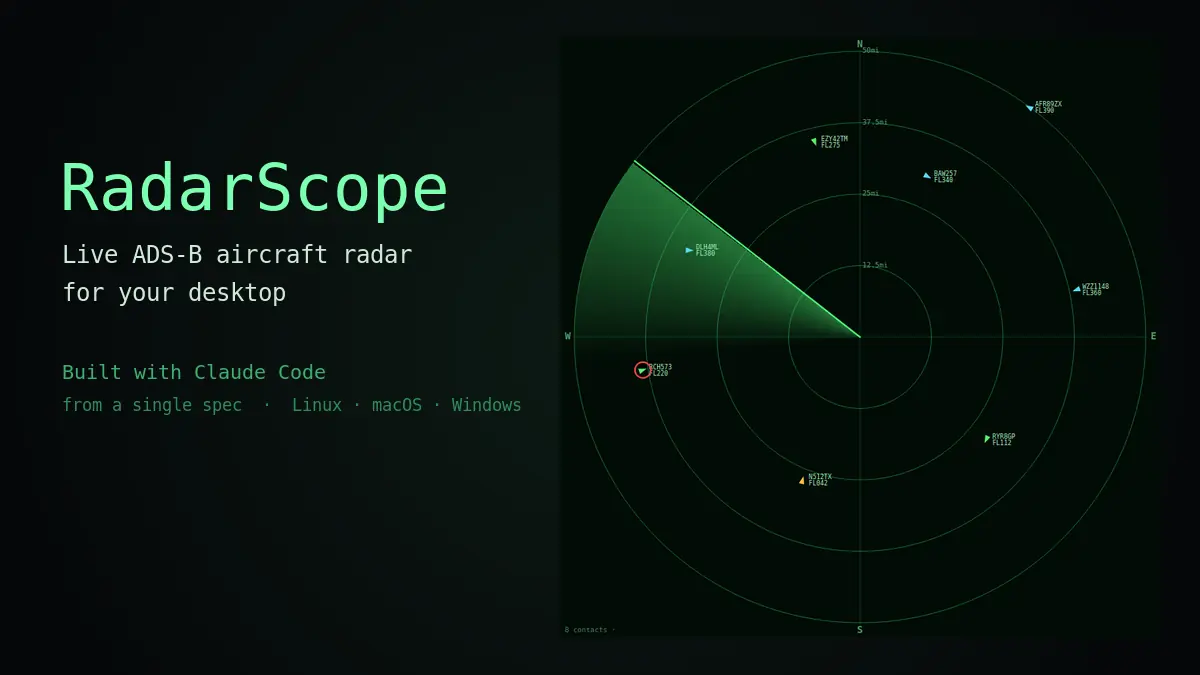
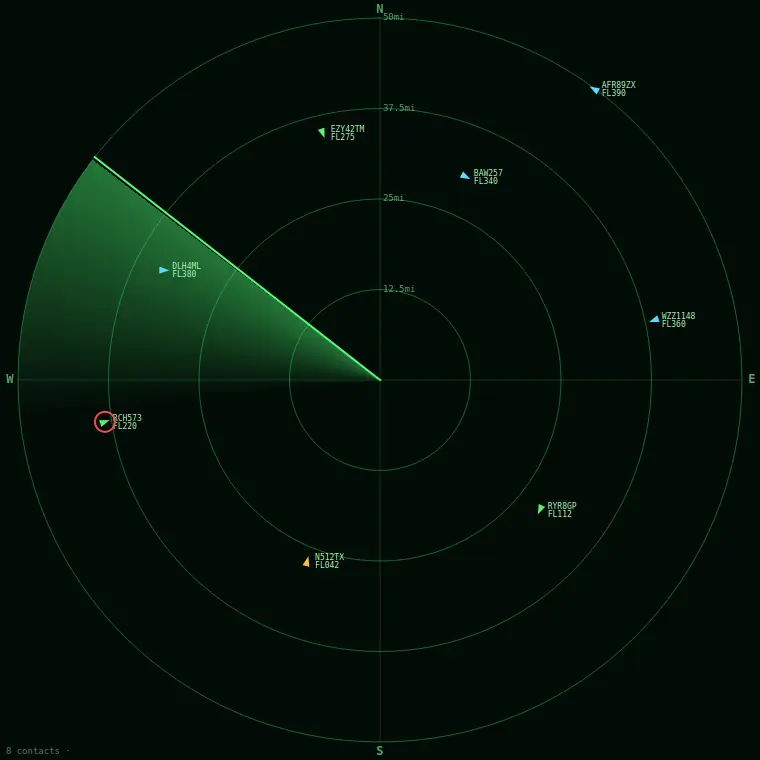
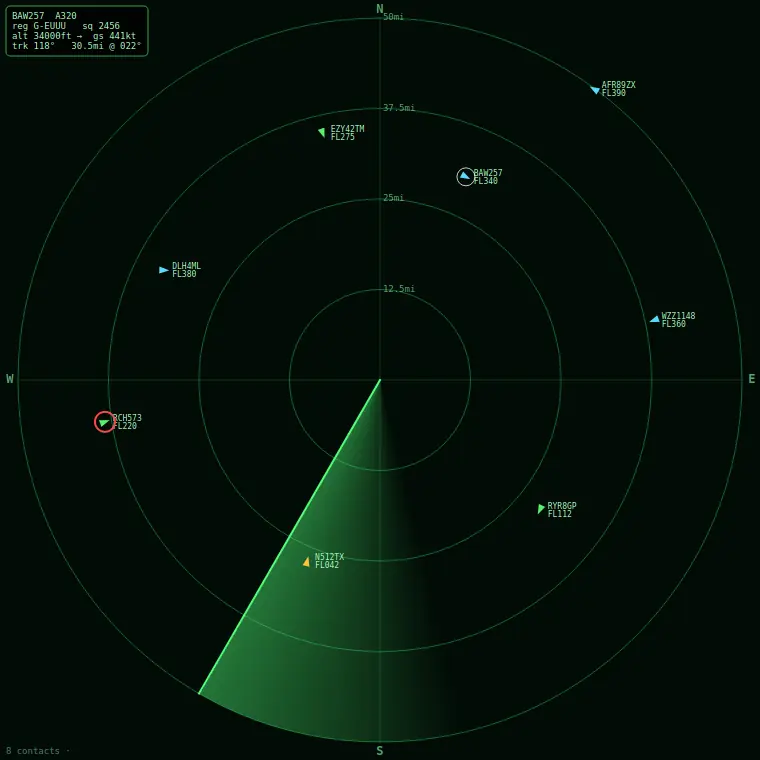
RadarScope is a frameless, draggable window that floats in a corner of your screen showing a phosphor-green PPI radar display: concentric range rings, a compass, a sweep line rotating clockwise with a fading afterglow behind it, and live aircraft plotted as little triangles that point the way they are flying. You give it a UK postcode once, it centres the scope on your location, and from then on it shows you what is overhead. The screenshots in this article are not mock-ups. They are real frames grabbed from the running application.
Why a spec, not a chat
The interesting decision was made before any code existed. Rather than build the widget conversationally, feature by feature, I wrote the whole thing up first as a single specification document: goal and behaviour, the geo maths spelled out as formulas, the exact public data sources and their quirks, the rendering details, the threading model, the per-operating-system gotchas, the project layout, and a set of acceptance criteria. Then I handed that one document to Claude Code with a single instruction at the top: implement this, do not echo it back.
This matters because a specification is portable in a way a conversation is not. A chat history is a private artefact full of dead ends and corrections. A good spec is a contract. Anyone can pick it up, hand it to their own agent, and get the same thing built. That portability was the whole point of the exercise, and it is why the document is a free download rather than a private note.
The maths had to be unambiguous
A radar scope is mostly trigonometry, and trigonometry is exactly where vague instructions produce subtly wrong software that still looks plausible. So the spec does not say “work out how far away each aircraft is.” It gives the haversine formula, names the Earth radius in nautical miles, gives the initial-bearing formula, and gives the polar-to-screen projection with the sign conventions written out: north is up, clockwise is positive, x uses sine, y subtracts cosine. There is no room for the agent to guess a convention and get the whole display mirrored.
The other trap was units. The aircraft feed wants its search radius in nautical miles, and aircraft ground speed comes in knots, which is nautical miles per hour. But almost nobody has a feel for a nautical mile. The spec resolves this with one rule stated plainly: compute everything in nautical miles, convert to statute miles exactly once, at the moment you draw text on the screen. It even names the single conversion function and says the factor must appear in only one place. That one paragraph is the difference between a scope that is accurate and intuitive, and one that is subtly off because miles and nautical miles got mixed halfway through a calculation.
This was a late change, and a deliberate one. The first version of the spec labelled everything in nautical miles because the data demanded it. The right call for a human looking at the screen was to convert: ring labels, the detail readout and the configuration are all in plain miles now, while the machine layer underneath still thinks in nautical miles where the inputs require it. The lesson generalises. Use the unit your inputs force on you internally; show the user the unit they actually understand.
The one bug, and the fix that rewrote the spec
The build came together quickly. The geo module passed its unit tests against known values, London to Paris came out at the right distance and bearing, a headless render produced the right number of on-scope and off-scope blips, and the window floated and dragged as intended. Then I ran the exact command the README told a user to run:
$ python -m radarscope
Error: 'radarscope' is a package and cannot be directly executed
Everything imported. Every module loaded. The app still would not start the documented way, because a Python package needs a tiny __main__.py file to be runnable with python -m, and it was missing. Import success and launch success are not the same thing, and the build had only proven the first.
It was a thirty-second fix. But I did not want the thirty-second fix. I asked a more useful question: could that failure have been prevented by a change to the instructions, so the next person to use this spec never hits it at all? The answer was yes, and that is what turned a one-off build into something worth publishing.
The spec now carries a reliability clause at the top: wherever the document names a run command, a file, or an acceptance test, treat them as a contract that must all agree, and verify the app the exact way a user will. It calls out the missing-__main__.py failure by name as the single most common way this build goes wrong. And it adds a verification section that refuses to let the agent declare the job done on the strength of imports alone. It must unit-test the maths, force a real headless paint to catch crashes in the drawing code, and actually invoke the documented launch command, not a substitute for it. The fix to the code was trivial. The fix to the spec is the part that has value.
Cross-platform was a spec problem, not a code problem
The widget targets Linux, macOS and Windows from one Python and Qt codebase, and the drawing, networking and maths really are identical on all three. The differences are narrow and entirely about the window manager, so the spec handles them explicitly rather than hoping for the best. Linux under Wayland restricts programmatic window positioning and always-on-top, so the spec says detect the session and fall back to XWayland through the provided launcher. macOS and Windows honour those window flags natively, so the spec says do not apply the Linux workaround there. Config goes in the correct per-user directory on each platform, resolved at runtime through Qt rather than hard-coded to a Linux path.
None of that is difficult once it is written down. The failure mode with cross-platform work is not difficulty, it is silence: the agent quietly assumes the developer’s own operating system is the only one that exists. Naming the three targets and their specific differences up front is what prevents that.
The honest split
Claude Code wrote every line of Python: the Qt widget and all the custom painting, the geo module, the data-source clients with failover, the threaded poller with backoff, the config layer, the settings dialog, the packaging files and the README.
I wrote the specification and made the judgement calls: which data sources, which units the user should see, the project layout, what counted as “done,” and, when the documented launch failed, the decision to harden the instructions rather than just patch the code.
The ratio of code is overwhelmingly the machine. The ratio of decisions is entirely human. That is the same split I see on commercial work, and it is the reason I keep saying the valuable skill is not prompting, it is specifying. A precise, honest, well-structured spec is leverage. A vague one is a slot machine.
Get the spec and build your own
Here is the actual specification, exactly as hardened after the build. It has no dependency on me, on this site, or on a particular agent. Hand it to Claude Code, or any capable coding agent, in an empty directory and ask it to implement the document. You will need Python 3.11 or newer; the data sources are free and need no API key. The aircraft data comes from adsb.lol with airplanes.live as a fallback, and postcode geocoding from postcodes.io. Please respect each source’s terms; this is a personal hobby tool, not a commercial feed.
The wider lesson
This was a hobby radar, but it rehearses the thing that actually matters on paid work. AI-assisted development gives you the most leverage where the target is precisely specified, and the least where you leave it to assume. The build failed in exactly one place, and that place was a gap in the instructions, not a gap in the model’s ability. Closing the gap in the spec, so it stays closed for everyone who uses the spec next, is worth far more than closing it once in the code.
If you have a tightly-defined problem and you want it specified and built properly rather than vibed into existence, that is the work I do. The contact details are below.