
What Blender MCP is
Blender is the free 3D package used for film, games and art. Blender MCP is an open-source add-on plus a small server that connects Blender to an AI assistant through the Model Context Protocol. Once it's running, the assistant can inspect the scene, create objects, set materials, render, and run Blender's Python commands, all inside your open Blender window.
Setup with Claude Code is two steps: install the add-on in Blender (Edit → Preferences → Add-ons), then register the server with claude mcp add blender uvx mcp-for-blender. The add-on listens on your own machine only, on port 9876.
Example: a twisted vase for spiral mode
In Blender, make a twisted 15-lobed vase, 90 mm across at the base, 160 mm tall, with a 120 degree twist, a slight waist, flaring to 110 mm at the top. Make it a closed solid (the slicer's vase mode will hollow it). Give it a glossy green PLA look with studio lighting, render a product shot, check the mesh is watertight, and export an STL in millimetres.
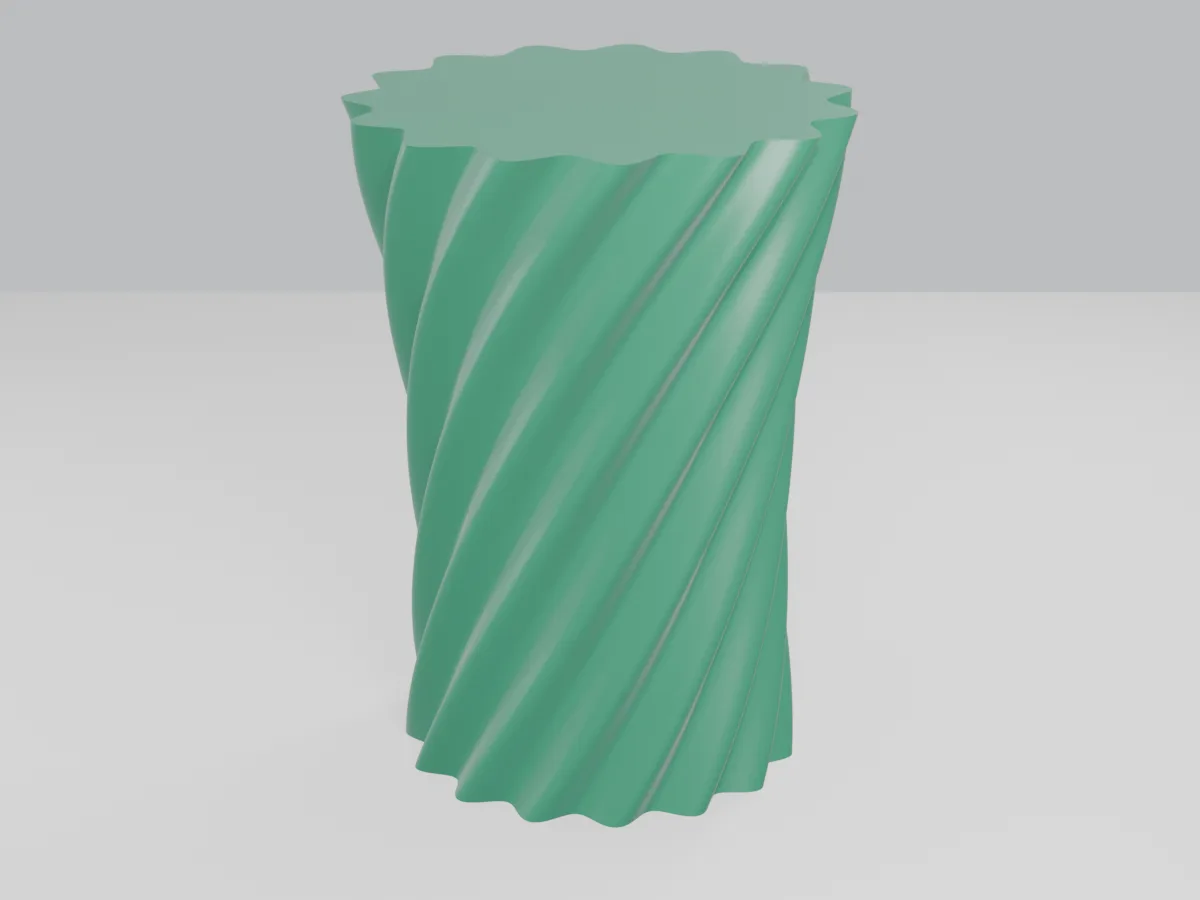
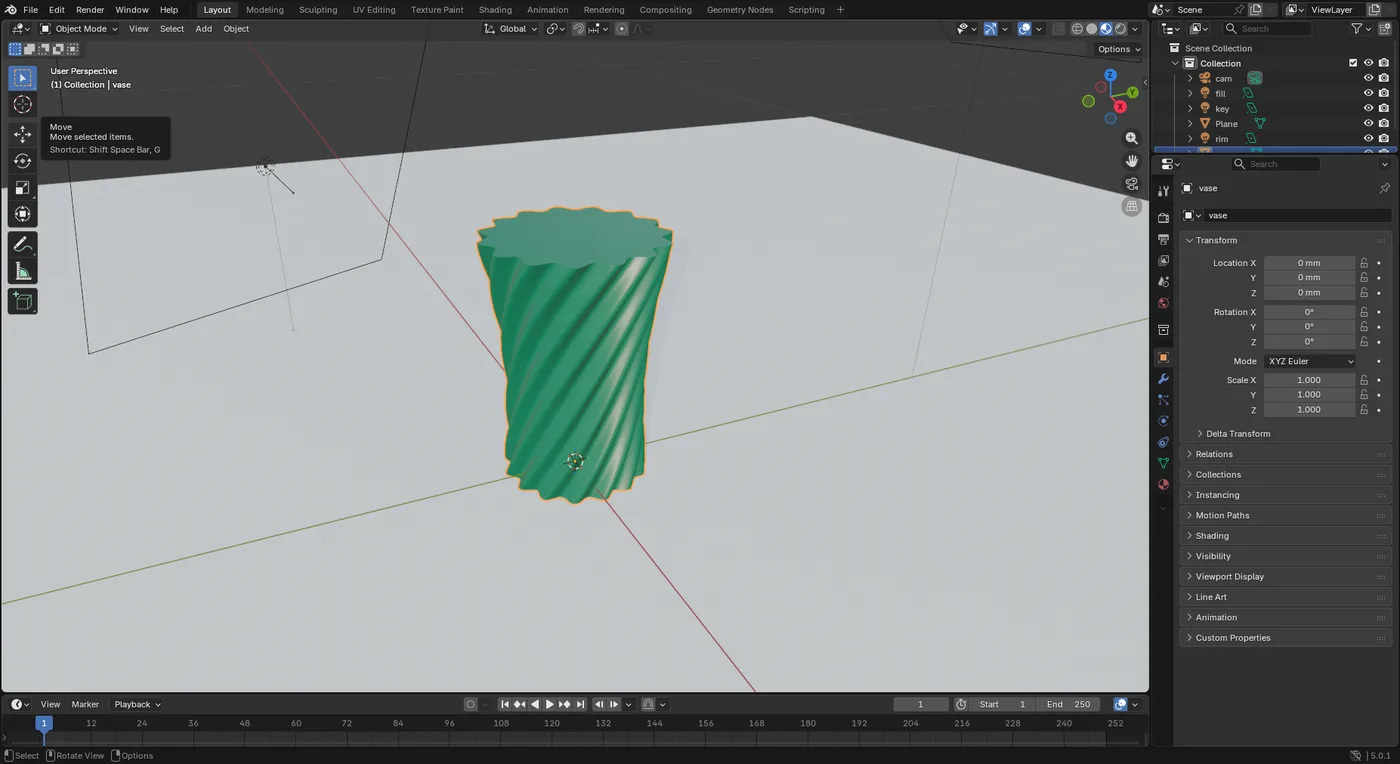
How it was built
The AI didn't sculpt by hand. It wrote about 60 lines of Blender Python (half of it lights, camera and materials): 81 rings of 300 points stacked up the height, each ring a little wider or narrower and rotated a little further, joined into faces, with flat caps top and bottom. That's the same “describe it with numbers” idea as the CAD examples, applied to a mesh.
The mistake it caught
The first STL export was 116 metres wide. The scene was set up so one Blender unit was one millimetre, and the export then multiplied by 1,000 on top. Because the prompt asked for a check, the AI read back the size, saw 160,000 mm, and fixed the export scale. Without that check, the slicer would have shown an empty bed and a tiny dot, or a vase the size of a block of flats.
Rule: always finish a prompt with “and tell me the size of what you exported”. Units are the most common way an AI-made model goes wrong, and the easiest to catch.
Other good jobs for Blender + AI
Import pi5_case_base.stl and pi5_case_lid.stl, put the lid on the base, give them a matte blue plastic look and render a three-quarter product shot on white for my listing.
Check this downloaded STL for non-manifold edges, holes and flipped normals, fix what you can, and tell me what you changed.
Make a low-poly fox ornament 60 mm tall with a flat base, no overhang steeper than 45 degrees, and a 3 mm hole through the ears for a ribbon.
AI mesh generators
Blender MCP can also call text-to-3D and image-to-3D services (Hyper3D Rodin, Hunyuan3D, Meshy, Tripo) and asset libraries (Poly Haven, Sketchfab). They're switched off until you tick them in Blender's sidebar, and most need an account or API key. Use them for figures and decoration. For anything with a size that matters, go back to CAD.
Safety settings worth knowing. The add-on lets the AI run any Python inside Blender, which is the same level of trust as letting it use your terminal. It has no password, so leave it bound to localhost (the default). It sends anonymous usage telemetry unless you set DISABLE_TELEMETRY=true for the server, and it checks for add-on updates unless you set BLENDERMCP_NO_UPDATE_CHECK=1. When you turn on a paid generator, your prompts and images go to that company.